
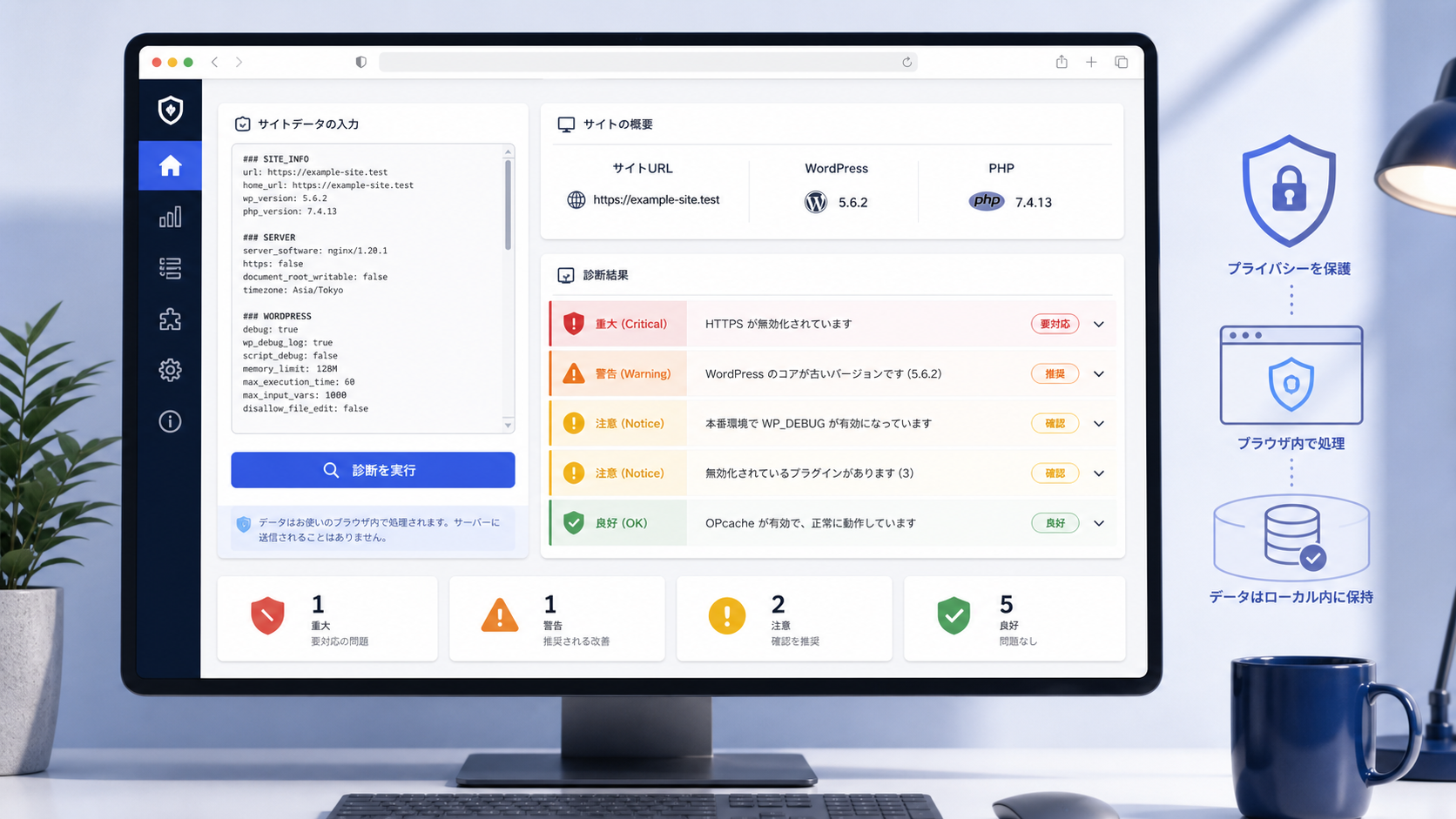
Create a polished editorial-style hero image for a privacy-focused “WP Health Check” web tool, shown as a modern desktop browser interface in a clean Japanese SaaS dashboard. The screen presents a WordPress site health diagnostic workflow: a large input textarea containing structured site-health data with section markers, a prominent diagnostic action button, and an adjacent or lower results panel summarizing the site domain, WordPress version, and PHP version. Display clear severity cards using red Critical, orange Warning, yellow Notice, and green OK visual indicators, with examples such as HTTPS disabled, outdated WordPress core, WP_DEBUG enabled in production, inactive plugins, and healthy OPcache. Use a calm professional palette of white, soft gray, deep navy, and subtle blue accents, generous spacing, rounded cards, accessible contrast, minimal line icons, and a trustworthy security-focused tone. Include abstract visual cues for client-side privacy and local processing, such as a shield, browser, and contained data flow, without showing personal information. High-fidelity UI mockup, contemporary web design, crisp typography-like shapes, realistic responsive layout, soft studio lighting, 16:9 composition, no logos, no branding, no readable paragraphs or captions.

WP Health Check


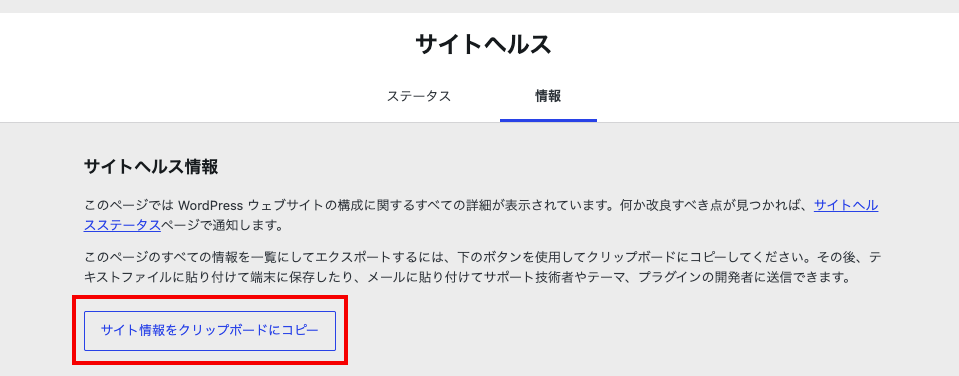
WordPressの管理画面 > ツール > サイトヘルス > 「情報」タブにある
「サイト情報をクリップボードにコピー」をクリックしてこのサイトに貼り付けて「診断するボタン」をクリックしてください。

※送信された内容は診断結果を表示するためだけに使用されます